E·conomic Help Page

Finding your E·conomic mapping

To find (and change) the mapping of your integration, simply:

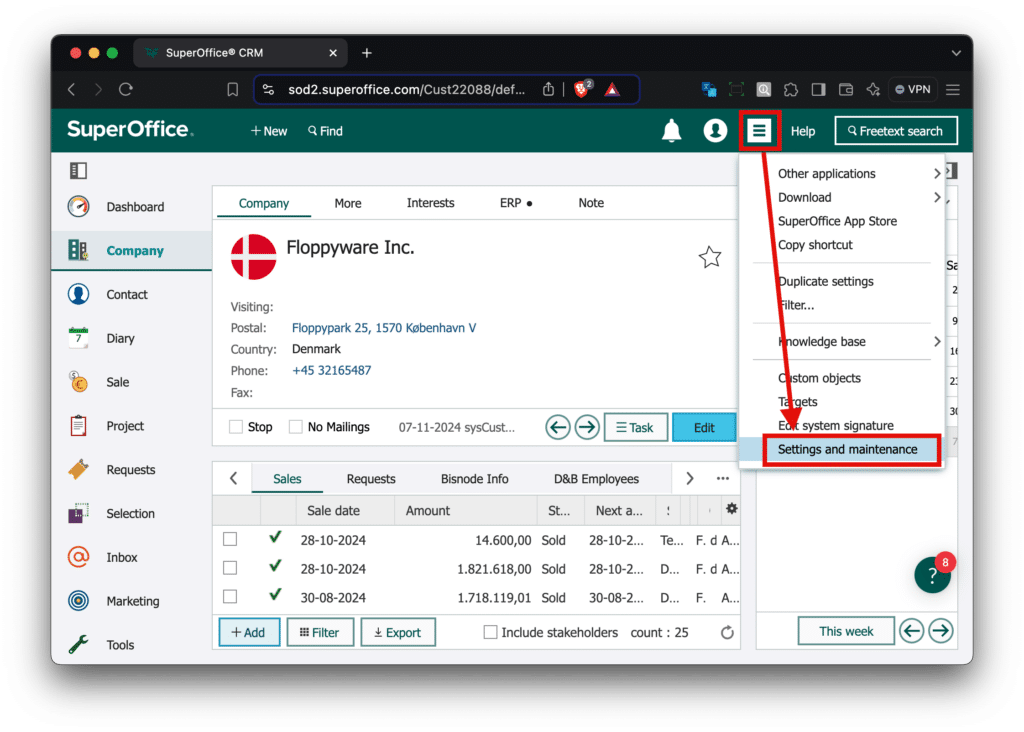
  1. Go to the SuperOffice Settings.
  2. Go to Sync settings, and turn off Automatic sync.
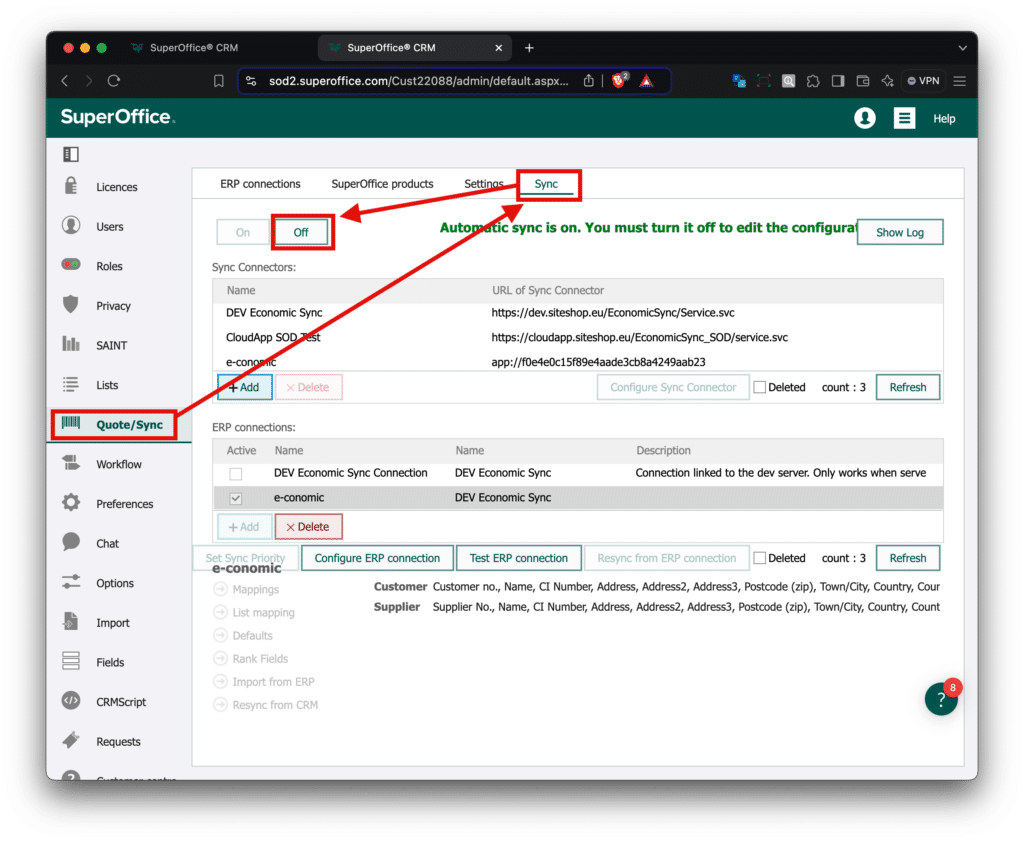
  3. Select your E·conomic ERP connection, and select mapping:
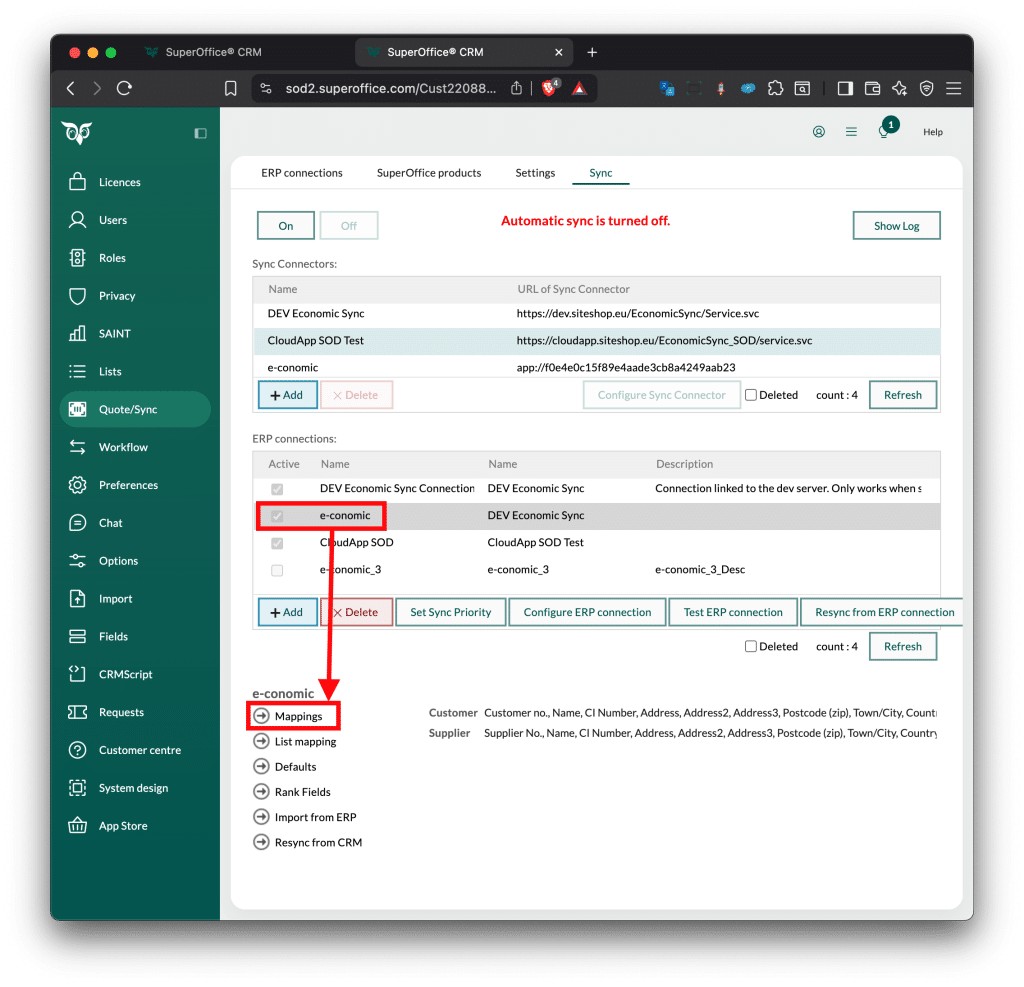
  4. Remember to turn on “Automatic Sync” after you’re done.

Starting a resync from ERP connection

If you need to re synchronise data from the E-conomic to SuperOffice for any reason, this can be done by:

1. Go to the SuperOffice Settings.

2. Go to Sync settings, and turn off Automatic sync.

3. Select the e-conomic connection, and click “Resync from ERP connection”.
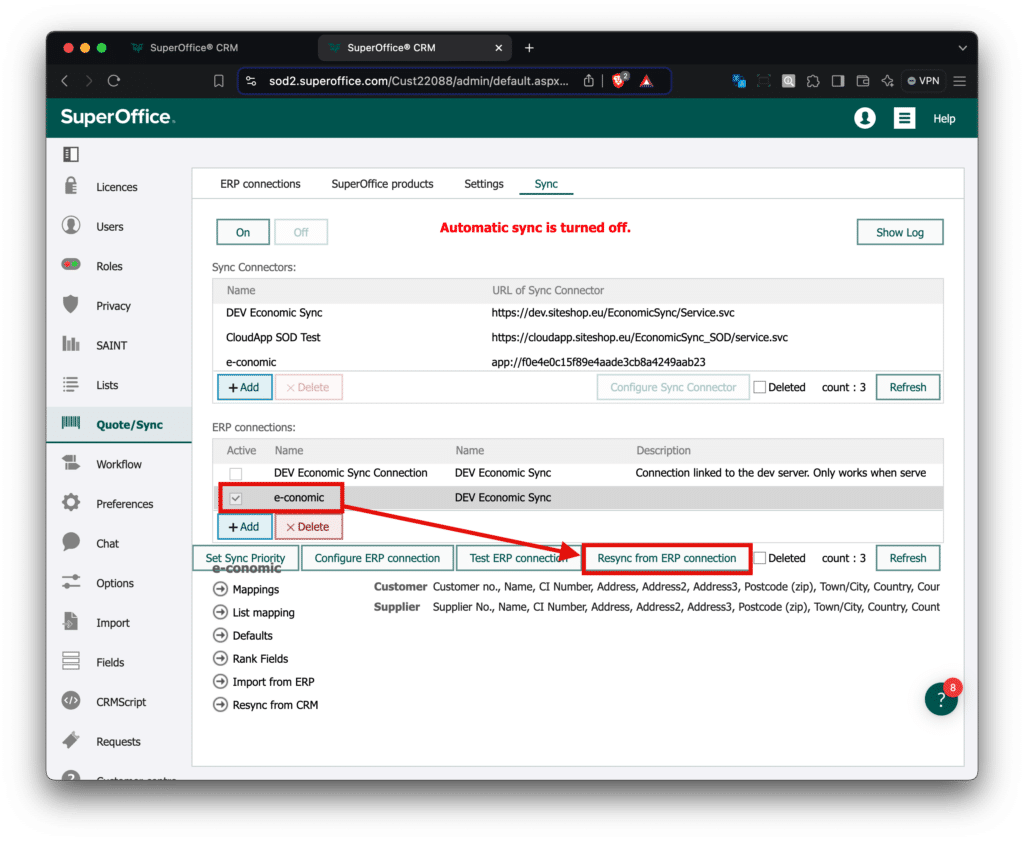
Once SuperOffice is done, you can turn on Automatic Sync again.

You can see that SuperOffice is syncing in the top banner, by this loading animation.

Lignende indlæg

  • Overview – CRM focused

    Last updated on: 19-12-2023 SuperOffice Installation APSIS One – https://siteshop.eu/apsis-one-integration-for-superoffice/Byggfakta SMART – https://siteshop.eu/byggfakta-smart-for-superoffice/Documendo –Dun & Bradstreet – https://siteshop.eu/market-data-nordic-for-superoffice/e-conomic Sync – https://siteshop.eu/installation-of-e-conomic-sync-for-superoffice/e-conomic Quote – https://siteshop.eu/installation-of-e-conomic-quote-for-superoffice/Risika – Risk & Credit – https://siteshop.eu/docs-risika-risk-credit-superoffice/Integration Cloud – Configuration APSIS One – https://siteshop.dk/apsis-one-configuration/Byggfakta SMART – https://siteshop.eu/byggfakta-smart-documentation/#smartconfigDocumendo –Dun & Bradstreet –e-conomic Sync –e-conomic Quote –Risika – Risk & Credit – https://siteshop.eu/docs-risika-risk-credit-superoffice/Integration Cloud…

  • Siteshop Integration Cloud – JSON Web Services V3

    Data can be sent to Integration Cloud using our JSON Web Service API.Below you will find the description on how that API works. Import The Import endpoint is an API endpoint, used for inserting and updating data into SuperOffice. The endpoint works as a “upsert”, where the API user does not need to consider if…

  • Overview – App Specific

    Last updated on: 19-12-2023 APSIS One SuperOffice Installation Installation for SuperOffice – https://siteshop.eu/apsis-one-integration-for-superoffice/ Configuration APSIS One – Configuration – https://siteshop.dk/apsis-one-configuration/ Tips & Tricks Coming. Dynamics Installation Installation for Microsoft Dynamics 365 – https://siteshop.eu/installation-of-apsis-one-integration-for-microsoft-dynamics-365/ Configuration Tip & Tricks Byggfakta SMART SuperOffice Installation Byggfakta SMART for SuperOffice – https://siteshop.eu/byggfakta-smart-for-superoffice/ Configuration Byggfakta SMART – Available Fields in SuperOffice…